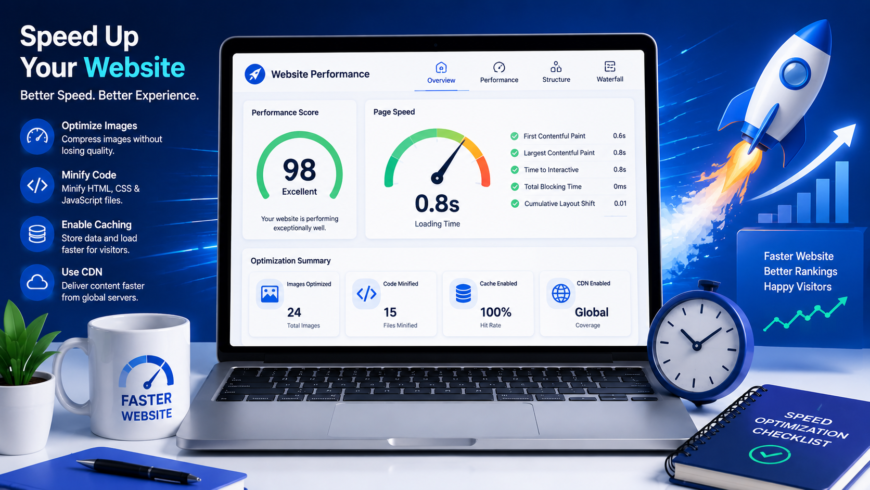
In modern web engineering, performance is not an aesthetic afterthought—it is a core architectural requirement that directly dictates user retention, conversion rates, and organic search indexation. Extensive real-world research by Google and cloud infrastructure providers indicates that as page load duration increases from 1 second to 3 seconds, the probability of a user bouncing increases by 32%. For e-commerce and SaaS platforms, a 100-millisecond latency improvement consistently drives a 1% to 2% increase in customer conversion rates.
Furthermore, Google's search ranking algorithm utilizes Core Web Vitals as explicit ranking signals. Websites that fail to meet "Good" thresholds in user-centric metrics (Largest Contentful Paint, Interaction to Next Paint, and Cumulative Layout Shift) suffer tangible visibility penalties across both desktop and mobile search engine results pages (SERPs).
Deconstructing the Core Web Vitals Metrics (2026 Standard)
Modern performance engineering is no longer measured solely by the legacy window.onload event. Instead, Google evaluates performance across three distinct operational dimensions: visual loading speed, interface responsiveness, and visual stability.
| Metric | What It Measures | Good Threshold | Needs Improvement | Poor Threshold |
|---|---|---|---|---|
| LCP (Largest Contentful Paint) | Render time of the largest visual element (hero image or heading) in the viewport. | ≤ 2.5 seconds | 2.5s – 4.0s | > 4.0 seconds |
| INP (Interaction to Next Paint) | Overall interface responsiveness to user interactions (clicks, taps, keystrokes) across page lifecycle. | ≤ 200 milliseconds | 200ms – 500ms | > 500 milliseconds |
| CLS (Cumulative Layout Shift) | Total volume of unexpected layout movements occurring while reading or interacting. | ≤ 0.10 score | 0.10 – 0.25 | > 0.25 score |
The Critical Rendering Path: How Browsers Construct a Page
To optimize page loading, developers must understand the physical pipeline a browser executes from receiving the initial HTML payload to displaying rendered pixels on the screen:
- DOM Construction: The browser parses raw HTML bytes, decodes tokens, and builds the Document Object Model (DOM) tree.
- CSSOM Construction: When an external stylesheet is discovered, HTML parsing pauses while CSS rules are parsed into the CSS Object Model (CSSOM). Because CSS is render-blocking, the browser cannot display anything until CSSOM is ready.
- Render Tree Generation: The browser intersects the DOM and CSSOM trees, eliminating non-visible nodes (such as
<head>anddisplay: noneelements) to compute the actual visible visual nodes. - Layout (Reflow): The browser computes exact geometric coordinates, widths, and viewport offsets for each node in the render tree.
- Paint: The browser converts vector geometry and styling rules into raster pixels in memory layers.
- Composite: The browser GPU composites painted layers onto the physical display monitor.
Core Architectural Optimizations for Production Performance
1. Achieving Sub-200ms Time to First Byte (TTFB)
Before any browser rendering can begin, the client must establish a TCP connection, complete the TLS handshake, and receive the first byte of HTTP response from the server. Slow TTFB delays all downstream resource fetching.
- Edge Caching via CDN: Deploy static assets and pre-rendered HTML to a global Anycast CDN (such as Cloudflare, Fastly, or CloudFront) to terminate TLS handshakes within 15 milliseconds of the user.
- Server-Side Caching: For dynamic applications, implement Redis memory caching or FastCGI microcaching to serve generated HTML in single-digit milliseconds without hitting relational database queries.
- HTTP/2 and HTTP/3 Multiplexing: Upgrade web servers to HTTP/3 (QUIC) over UDP to eliminate head-of-line blocking during packet drops and enable simultaneous resource streaming over a single connection.
2. Eliminating Render-Blocking CSS and JavaScript
Every external <link rel="stylesheet"> and non-deferred <script> tag completely halts the browser's HTML parser. To streamline rendering:
- Inline Critical CSS: Extract the minimal CSS required to render above-the-fold content and embed it directly into the HTML
<head>within a<style>tag. - Load Secondary CSS Asynchronously: Load remaining stylesheets using
rel="preload"and switch torel="stylesheet"via JavaScript once downloaded:<link rel="preload" href="/assets/css/non-critical.css" as="style"> <noscript><link rel="stylesheet" href="/assets/css/non-critical.css"></noscript> - Defer All Non-Critical JavaScript: Add the
deferattribute to scripts to ensure parsing continues uninterrupted while JavaScript downloads concurrently in the background:<script src="/assets/js/bundle.js" defer></script>
3. Modern Image Delivery & Zero Cumulative Layout Shift (CLS)
Images represent over 60% of total page weight on average web applications. Optimizing visual assets provides the highest return on engineering effort:
- Modern Next-Gen Formats: Convert legacy JPEG and PNG files into WebP or AVIF formats. AVIF achieves 50% better compression than JPEG at identical structural visual quality.
- Explicit Width and Height Attributes: Always include physical pixel dimensions or aspect-ratio declarations on image elements. This allows the browser to calculate layout geometry before image bytes arrive, preventing disruptive CLS:
<img src="/assets/img/hero.webp" alt="Performance dashboard" width="800" height="450" fetchpriority="high"> - Native Lazy Loading: Add
loading="lazy"to all images located below the initial viewport. Reservefetchpriority="high"exclusively for the single LCP hero image above the fold.
4. Production HTTP Caching Headers
Instructing client browsers and intermediate proxies on how long to store static assets prevents redundant network round-trips for returning users. The optimal production configuration uses immutable cache headers for fingerprinted assets:
# Apache / LiteSpeed .htaccess Caching Directives
<IfModule mod_expires.c>
    ExpiresActive On
    ExpiresDefault "access plus 1 month"

    # CSS and JavaScript with hash fingerprinting
    ExpiresByType text/css "access plus 1 year"
    ExpiresByType application/javascript "access plus 1 year"

    # Media and Fonts
    ExpiresByType image/webp "access plus 1 year"
    ExpiresByType image/avif "access plus 1 year"
    ExpiresByType font/woff2 "access plus 1 year"
</IfModule>

<IfModule mod_headers.c>
    # Immutable cache for versioned assets
    <FilesMatch "\.(css|js|woff2|webp)$">
        Header set Cache-Control "public, max-age=31536000, immutable"
    </FilesMatch>
</IfModule>
Interactive Diagnostic Checklist
- [ ] Time to First Byte (TTFB) is below 200ms globally across test regions.
- [ ] All JavaScript tags utilize
deferortype="module"attributes. - [ ] Above-the-fold hero image has
fetchpriority="high"and explicit dimensions. - [ ] All images below the fold have
loading="lazy"enabled. - [ ] Static CSS and JS assets are minified and served with Brotli or Gzip compression.
- [ ] HTTP/2 or HTTP/3 is verified active via browser network developer tools.
- [ ] Total DOM depth is kept under 32 levels and total DOM elements under 1,500.