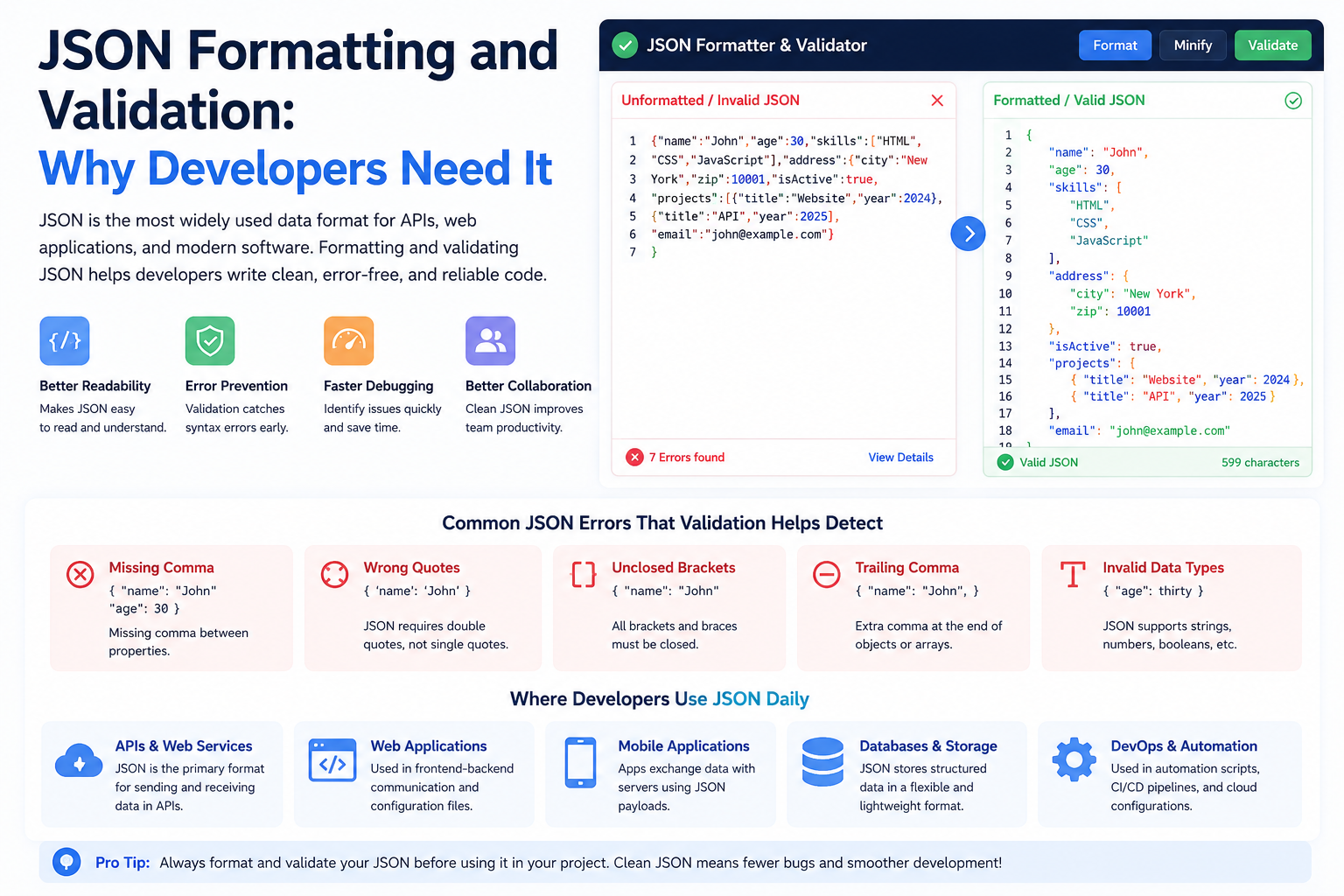
JavaScript Object Notation (JSON), formally defined in IETF RFC 8259 and ECMA-404, has entirely superseded XML, SOAP, and proprietary binary RPC formats as the standard data interchange protocol for modern web applications, microservices, and mobile APIs. Its syntax is clean, human-readable, and natively supported across virtually every modern programming language without requiring external compilation or schema engines.
However, despite its superficial similarity to JavaScript object syntax, JSON is a distinct, strictly constrained specification. Minor formatting oversights—such as an inadvertent trailing comma or unescaped control character—will instantly cause high-throughput API parsers to terminate with cryptic SyntaxError: Unexpected token exceptions.
The Seven Most Common JSON Syntax Errors in Production
| Syntax Rule | Invalid JSON | RFC 8259 Compliant JSON | Root Cause |
|---|---|---|---|
| Quotes on Keys | { user: "Sabir" } |
{ "user": "Sabir" } |
JSON requires strict double quotes around all object property names. Single quotes are illegal. |
| Trailing Commas | [ "a", "b", ] |
[ "a", "b" ] |
While JavaScript ES2017 permits trailing commas in arrays and objects, JSON RFC 8259 strictly forbids them. |
| String Enclosure | { "id": '101' } |
{ "id": "101" } |
Strings must be enclosed exclusively in double quotes ("..."). |
| Comments | // config setting |
{ "port": 8080 } |
RFC 8259 intentionally omits comments to prevent developers from storing parsing directives inside comments. |
| Literal Line Breaks | { "bio": "line1 |
{ "bio": "line1\nline2" } |
Unescaped raw newline characters (U+000A) inside string values trigger unhandled token errors. |
The 64-Bit Integer Precision Trap (BigInt)
One of the most dangerous defects in distributed systems occurs when 64-bit database identifiers (such as Twitter Snowflake IDs, Discord IDs, or 64-bit MySQL primary keys) are serialized into JSON and parsed by JavaScript applications.
JavaScript represents all numbers using IEEE 754 double-precision floating-point format. The maximum safe integer in JavaScript is:
$$\text{Number.MAX\_SAFE\_INTEGER} = 2^{53} - 1 = 9,007,199,254,740,991$$
If your database generates an ID of 9007199254740995 and sends it as a raw JSON numeric token:
const payload = '{"order_id": 9007199254740995}';
const data = JSON.parse(payload);
console.log(data.order_id); // Outputs: 9007199254740996 (CORRUPTED!)
The parser silently rounds the final digit to the nearest representable floating-point value. When the frontend attempts to query /api/orders/9007199254740996, the database returns a 404 Not Found error. Architectural Rule: Always serialize 64-bit integers and high-precision monetary amounts as quoted strings in JSON payloads.
Security Considerations: Prototype Pollution Defenses
When parsing untrusted user-supplied JSON payloads and deeply merging them into existing application objects, applications can become vulnerable to Prototype Pollution attacks:
// Malicious JSON payload
const maliciousPayload = '{"__proto__": {"isAdmin": true}}';
const parsed = JSON.parse(maliciousPayload);

// Dangerous naive merge function
function unsafeMerge(target, source) {
    for (let key in source) {
        if (typeof source[key] === 'object') {
            unsafeMerge(target[key] || {}, source[key]);
        } else {
            target[key] = source[key];
        }
    }
}
// An adversary can pollute Object.prototype, elevating privileges across all objects!
To defend against prototype pollution, always sanitize incoming object keys or use Object.create(null) for dictionary lookups.
Interactive Diagnostic Checklist
- [ ] Verify all JSON keys and string values are enclosed in strict double quotation marks.
- [ ] Confirm that no trailing commas exist after the final element in arrays or objects.
- [ ] Ensure 64-bit integer IDs and currency numbers are transmitted as strings to prevent IEEE 754 precision loss.
- [ ] Validate and beautify your raw JSON payloads instantly using our privacy-first JSON Formatter & Validator.